
Best Cricut Christmas Fonts (Festive, Script & Free Options)
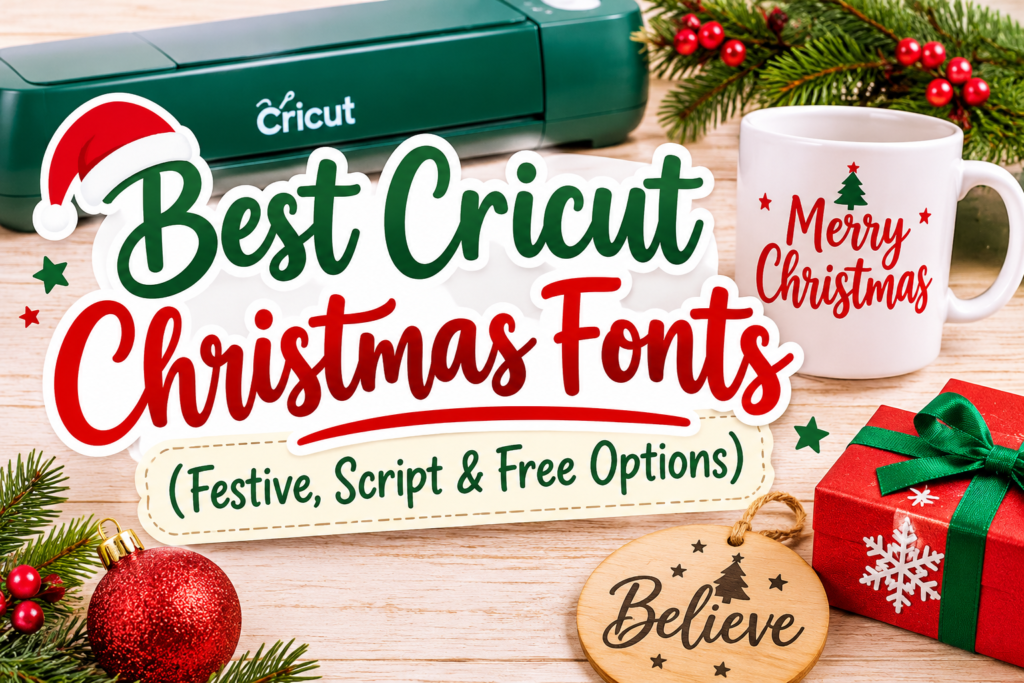
The best Cricut Christmas fonts are easy-to-read, well-spaced fonts that suit the project you’re making. Script fonts look beautiful on Christmas ornaments and gift tags, bold fonts work well for signs and T-shirts, and playful lettering adds a festive touch to cards and decorations.
Whether you’re looking for free Christmas fonts for Cricut or premium fonts to download, the right choice can make your holiday projects look more polished.
Here are some Christmas font styles worth trying, along with tips for using them in Cricut Design Space.
Affiliate disclosure: This post contains affiliate links. If you purchase through them, we may earn a small commission at no extra cost to you.

1. Best Christmas Fonts for Cricut Projects
Not every Christmas font works equally well for cutting. A decorative font may look beautiful on screen but become difficult to cut when its letters are too thin, too close together or full of tiny details.
Here are the styles to look for:
Christmas Script Fonts
Script fonts have connected or flowing letters that give Christmas projects a warm, handwritten look. They’re especially useful for names, short greetings and personalized gifts.
Good for:
- Christmas ornaments
- Gift tags
- Mugs and tumblers
- Personalized stockings
- Holiday signs
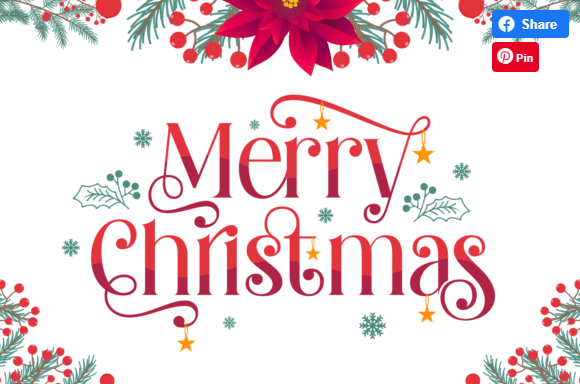
→ Explore more beautiful Christmas script fonts
Cute and Playful Christmas Fonts
These fonts have rounded letters, unusual shapes or fun decorative details. They work well when you want a cheerful design rather than a traditional Christmas look.
Good for:
- Children’s Christmas T-shirts
- Gift labels
- Santa-themed decorations
- Christmas party signs
- Holiday stickers
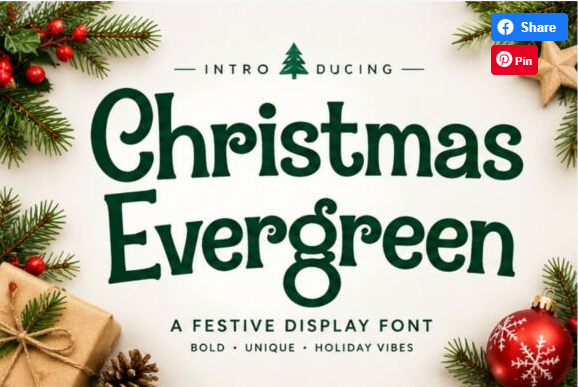
→ Explore more cute and playful christmas fonts
Bold Christmas Fonts
Bold fonts have thicker strokes, making them a practical option for larger bold lettering and designs that need to stand out.
Good for:
- Christmas wall signs
- T-shirt lettering
- Large ornaments
- Door decorations
- Holiday banners
Vintage Christmas Fonts
Vintage fonts bring an old-fashioned holiday feel to your designs. Think traditional Christmas lettering, retro shop signs and classic holiday packaging.
Good for:
- Rustic Christmas signs
- Gift boxes
- Wooden decorations
- Retro Christmas T-shirts
- Traditional greeting cards
Handwritten Christmas Fonts
Handwritten fonts have an informal, personal appearance. They’re a nice choice for projects that look like they were made by hand rather than produced from a template.
Good for:
- Christmas cards
- Gift tags
- Personalized labels
- Family ornaments
- Holiday messages
2. Best Free Christmas Fonts for Cricut
You don’t always need to buy a font to start a Christmas project. Cricut Design Space lets you use system fonts installed on your device, so you can also try free fonts downloaded from font websites.
When looking for free Christmas fonts for Cricut, pay attention to the file format, cutting details and license.
Here are a few places to start:
- Cricut Design Space: Browse the available fonts and use its free filter where available.
- Online Freebies: Explore free fonts and design resources online. Check the individual download and license terms before using a file.
- Free font websites: Look for downloadable TTF or OTF fonts, then check whether they allow personal or commercial use.
If you’re working on Christmas crafts on a budget, start with free Christmas fonts that you can use for Cricut projects. The font websites also offer free font for downloads, including decorative, handwritten, and festive styles. Browse free Christmas fonts and lettering designs to find options for ornaments, greeting cards, gift tags, and holiday signs. Before downloading, check the font’s license and make sure it allows your intended use.
Remember that free doesn’t automatically mean free for commercial use. If you’re making products to sell, check the license before using a font.
3. Best Cricut Christmas Fonts for Cards and Ornaments
Christmas cards and ornaments often include small text, names or short messages. This makes font selection important.
For Christmas cards, try:
- Elegant script fonts for greetings such as “Merry Christmas”
- Serif fonts for a traditional holiday look
- Handwritten fonts for personal messages
- Bold display fonts for short festive phrases
For ornaments, choose fonts that remain readable when the lettering is cut at a smaller size. Names and short words are usually easier to work with than long sentences.
For Christmas cards and ornaments, choose fonts that look festive but are still easy to read at a smaller size. Script fonts work beautifully for phrases like “Merry Christmas” and “Joy to the World,” while playful lettering adds a fun touch to personalized ornaments and gift tags.
If you want more design options, explore these Christmas fonts for cards and ornaments to find styles for your holiday crafts. Before choosing a font, check that its thin strokes and decorative details will cut cleanly with your Cricut.
4. Best Christmas Fonts for Cricut T-Shirts and Signs
T-shirts and signs usually need lettering that can be read from a distance. Bold, chunky and simple fonts are good starting points.
For T-shirts, consider:
- Bold Christmas display fonts
- Retro holiday lettering
- Playful fonts for funny Christmas quotes
- Simple script fonts for short phrases
For wooden signs and wall decorations, vintage serif fonts and bold lettering can give the design a classic holiday feel.
Before cutting, check the font at the actual size you plan to use. Very thin strokes and tiny details may be difficult to weed from vinyl.
For Christmas T-shirts and holiday signs, bold and easy-to-read fonts usually work best. Chunky lettering, retro styles, and farmhouse-inspired fonts can make designs stand out on shirts, tote bags, wooden signs, and welcome boards.
If you’re looking for ready-to-use lettering styles, browse these fonts for T-shirts and DIY signs. Look for fonts with clear shapes and enough spacing so your Cricut can cut the letters cleanly, especially when working with small vinyl designs.
5. How to Download Christmas Fonts for Cricut
You can use many downloaded fonts in Cricut Design Space as system fonts. The font needs to be installed on your device first.
Follow these steps:
- Find a Christmas font you want to use.
- Download the font file from its source.
- If the download is a ZIP file, extract it.
- Install the TTF or OTF font file on your device.
- Close and reopen Cricut Design Space.
- Open the font menu and look under system fonts.
- Select the font and start designing.
The exact installation steps depend on whether you’re using Windows, Mac, iPhone or Android.
You can download Christmas fonts for Cricut from font marketplaces. Browse their downloadable fonts, choose a style you like, and check its file format and license before downloading. Most installable fonts come in TTF or OTF formats. Once downloaded, install the font on your computer and reopen Cricut Design Space so it can appear in your system fonts list. You can then use it to create Christmas cards, ornaments, T-shirts, and other holiday projects.
A useful tip: Check the font’s preview and supported characters before downloading. Some decorative fonts include extra symbols or alternate letters that may not work as expected in every project.
6. What Makes a Christmas Font Cricut-Friendly?
A font can look great on a computer but still be difficult to cut. Before choosing one, check these details:
| Feature | What to look for |
|---|---|
| Letter thickness | Avoid extremely thin strokes for small cuts |
| Spacing | Letters should not overlap unexpectedly |
| Readability | Words should remain clear at your chosen size |
| Details | Avoid too many tiny decorative elements |
| File format | Check for TTF or OTF font files |
| Font license | Make sure the license covers your intended use |
| Crafter-friendly support | Look for fonts designed with craft applications in mind |
A Cricut-friendly Christmas font should be easy to cut, weed, and read, even when the letters are used in small designs. Look for clean letter shapes, balanced spacing, and strokes that aren’t too thin or overly detailed. If you want decorative lettering without spending time searching through individual files, explore Cricut-friendly Christmas fonts.
Look for fonts marked as suitable for crafting, and check whether they include TTF or OTF files. For projects that use the Cricut pen, look specifically for single-line writing fonts rather than regular fonts designed for cutting.
One more thing: regular fonts usually create outlined letter shapes for cutting. If you want your Cricut machine to draw lettering as a single line, look specifically for a single-line or writing font.
7. Can You Use Christmas Fonts in Canva and Microsoft Word?
Yes. Many downloadable Christmas fonts can also be used in Canva and Microsoft Word, provided the application and device support the font.
Christmas Fonts on Canva
Canva has its own font library, but users with eligible Canva accounts can also upload fonts they have permission to use.
You can use Christmas fonts for:
- Instagram posts
- Christmas invitations
- Greeting cards
- Holiday posters
- Gift labels
Christmas Fonts in Microsoft Word
You can also use installed Christmas fonts in Microsoft Word. After installing a compatible font on your computer, reopen Word and look for it in the font list.
These fonts can be useful for:
- Printable Christmas cards
- Gift tags
- Party invitations
- Holiday letters
- Christmas labels
8. Christmas Font Generator: Create Festive Text to Copy and Paste
If you don’t want to download or install a font, a Christmas font generator can be a quicker option for creating decorative text.
You can type a word or greeting, explore different text styles and copy the result for use in supported apps and platforms.
A font generator and a downloadable font file are not the same thing, though. A generator may create stylized Unicode characters, while a font download gives you a font file that can be installed in compatible software such as Cricut Design Space.
For Cricut cutting projects, use an installable font rather than assuming copied fancy text will work as a cut-ready font.
Frequently Asked Questions
What is a good Christmas font on Cricut?
A good Cricut Christmas font is festive, cuts cleanly, and welds well elegant scripts (for cards/signs), bold display fonts (for shirts/tags), or whimsical fonts (for fun projects). Look for downloadable .ttf/.otf fonts with commercial licenses if you’re selling.
What font is a good Christmas font?
Festive scripts and bold display fonts work best for a Christmas feel — flowing scripts for elegance, chunky fonts for cheer. Fonts with snow-capped letters or holiday dingbats add extra festive character.
What are some good Christmas fonts?
Popular styles include elegant holiday scripts, bold festive display fonts, whimsical snow-themed fonts, and classic serifs.
What are the best fonts on Cricut?
The best Cricut fonts (Christmas or not) are ones that cut cleanly and weld well bold enough not to tear, with good letter connection for scripts. Cricut has built-in fonts, but downloadable fonts give far more festive variety.
Can I use copy-paste fancy text in Cricut?
In short, No. Cricut needs installed font files, not copy-paste Unicode text. Copy-paste fonts are for social media (bios, posts); for Cricut cutting, download and install real fonts.
Are free Christmas fonts okay for selling Cricut projects?
Yes, only if the license allows commercial use. Many free fonts are “personal use only.” Check the license, or use premium/commercially-licensed fonts to be safe when selling.
How do I add a downloaded font to Cricut?
To add a downloaded font to Cricut, first install the .ttf or .otf file on your computer. On Windows, right-click the font file and select Install. On Mac, open the file in Font Book and click Install Font. Then close and reopen Cricut Design Space, create a text box, and look for your font under System Fonts in the font menu.
Are there free Christmas fonts for Cricut?
Yes. You can use free system fonts installed on your device, as well as free fonts from external websites. Always check the download and license terms before using them.
Where can I download Christmas fonts for Cricut?
You can download Christmas fonts from font marketplaces such as Creative Fabrica. Look for TTF or OTF files and check whether the font is marked as Crafter Friendly.
Can I use downloaded Christmas fonts in Cricut Design Space?
Yes. Design Space supports system fonts installed on your device. Install the font first, then reopen Design Space and find it in the system font list.
What is a good Christmas font in Word?
A traditional serif font works well for classic Christmas cards, while a handwritten or script font suits personal greetings and invitations. You can install compatible TTF or OTF fonts and use them in Word.
Can I use Christmas fonts in Canva?
Yes. Canva offers its own font library, and eligible accounts can upload fonts they have permission to use. Check your Canva plan and the font license before uploading.
Do all Christmas fonts work with Cricut?
No. Some fonts may have thin strokes, awkward spacing or small decorative details that make cutting difficult. Test the font at your intended size before starting a large project.
Final Tip
Before downloading a Christmas font, think about what you’re making. A font that looks beautiful on a greeting card may not be the easiest choice for a small vinyl ornament. Choose the font style based on the project, check its license and test a small cut first.