
200+ Telegram Bio and Username Ideas to Copy and Paste (Aesthetic, Cool, Funny & Unique)
Introduction
Your Telegram bio and username help give your profile its own personality. Whether you prefer something aesthetic, funny, cute, or simple, the right choice can make your profile feel more personal.
Our collection includes 200+ Telegram bio and username ideas you can copy and paste. Browse the different styles, find one that suits you, and make it your own.
Want to give your bio a stylish look? Use our Telegram Font Generator to turn ordinary text into fancy fonts.
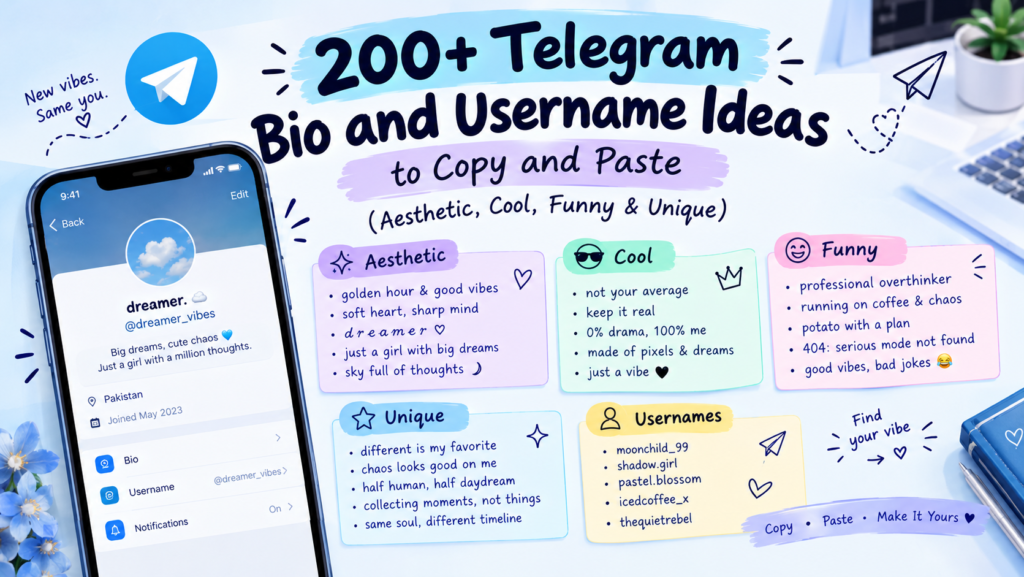
Best Telegram Bio Ideas to Give Your Profile a Fresh Look
A good Telegram bio doesn’t need to be long. A short line that reflects your personality can say more than a full paragraph. Here are some ideas for different moods and styles.
Short and Simple Telegram Bios
If you like keeping things clean and straightforward, try one of these:
- just here to vibe ✨
- living, not just existing
- keeping it real
- less talk, more action
- work in progress
- here & now
- simple soul, big dreams
Aesthetic Telegram Bio Ideas
These bios are perfect for a soft, dreamy, or Pinterest-inspired profile:
- ⋆。˚ lost in daydreams ˚。⋆
- chasing sunsets & soft moments 🌅
- made of stardust & silence ✶
- soft heart, quiet mind ☁️
- romanticizing my little life
- ✿ slow mornings & good coffee ✿
- collecting moments, not things
Cool and Attitude Telegram Bios
Want your bio to sound confident without saying too much? These lines have a little attitude:
- my vibe, my rules 😎
- unbothered & unstoppable
- do not disturb my peace
- built different, staying humble
- less ego, more focus
- i don’t follow, I lead
- too busy leveling up
Funny Telegram Bios
Add a little humor to your profile with these funny Telegram bio ideas:
- professional overthinker 🧠
- running on caffeine & chaos ☕
- probably texting back in 3 business days
- allergic to mornings
- i put the ‘pro’ in procrastinate
- here for the memes 😂
- 50% angel, 50% chaos
Cute and Sweet Telegram Bios
For a cheerful and gentle profile, these cute bios are worth trying:
- sprinkled with kindness ♡
- just a soft soul in a loud world 🌸
- sweet like honey 🍯
- made of sugar & daydreams
- pocketful of sunshine ☀️
- tiny human, big heart ♡
- your favourite softie
Deep and Meaningful Telegram Bios
If you prefer something thoughtful, choose a line that says a little more about how you see life:
- becoming who I’m meant to be
- healing quietly, growing daily
- the journey is the destination
- scars are proof of survival
- grateful for second chances
- lost, but moving forward
- learning to love the process
Minimalist Telegram Bios
Sometimes one or two words are enough. These minimalist options keep your profile simple:
- ·˚ dreamer ˚·
- just me.
- here.
- ∞
- quietly thriving
- keep it simple
- ✧ soul ✧
Telegram Bio Ideas for Different Personalities
For Introverts and Quiet Souls
- happiest in my own company 🤍
- less noise, more peace
- quietly observing everything
- recharging… please leave a message
- comfortable in the quiet
For Music Lovers
- life is better with headphones on 🎧
- living between playlists 🎵
- my mood = my music
- lyrics hit harder than reality
- 🎶 soul tuned to melodies 🎶
For Gamers
- gg ez 🎮
- grinding ranks, chasing wins
- respawning & vibing
- controller in hand, dreams in sight
- more than my K/D ratio 🏆
For Dreamers and Creative Minds
- building castles in the clouds ☁️
- creating what I wish existed ✨
- head in the stars, feet on the ground
- ideas > everything
- making magic from nothing 🎨
For People Who Love Privacy
- here, but not really 👁️
- low profile, high standards
- you won’t find me twice
- less visible, more alive
- quietly doing my thing
Stylish Telegram Bio Ideas with Fancy Fonts and Symbols
You can make a Telegram bio look different by using decorative Unicode characters, symbols, and fancy text styles. These are copy-and-paste characters, so you don’t need to install a separate font.
Bold and Cursive Telegram Bios
Try these styles if you want your bio to look more noticeable:
- 𝗹𝗶𝘃𝗶𝗻𝗴 𝗺𝘆 𝗯𝗲𝘀𝘁 𝗹𝗶𝗳𝗲
- 𝓼𝓸𝓯𝓽 𝓼𝓸𝓾𝓵, 𝓫𝓲𝓰 𝓭𝓻𝓮𝓪𝓶𝓼 ♡
- 𝗱𝗿𝗲𝗮𝗺 · 𝗯𝗲𝗹𝗶𝗲𝘃𝗲 · 𝗮𝗰𝗵𝗶𝗲𝘃𝗲
Small Caps and Gothic Telegram Bio Styles
For a more unusual or dramatic look, try small caps and gothic lettering:
- ᴊᴜꜱᴛ ᴠɪʙɪɴɢ ✧
- ᴅʀᴇᴀᴍᴇʀ · ᴅᴏᴇʀ · ʙᴇʟɪᴇᴠᴇʀ
- 𝖑𝖔𝖘𝖙 𝖎𝖓 𝖙𝖍𝖊 𝖉𝖆𝖗𝖐 🖤
Aesthetic Symbols, Stars, and Dividers
You don’t always need fancy lettering. A few decorative symbols can give a plain bio a more finished look:
- ⋆。˚ your text ˚。⋆
- ✦ · ✦ · ✦
- ꒰ঌ soft ໒꒱
- ·˚ ༘ gentle soul ༘ ˚·
- ☾ moonchild ☽
You can combine these symbols with your own words to create a style that feels right for your profile. For more lettering options, try our Telegram Font Generator.
Best Telegram Username Ideas for Your Profile
Your Telegram username is the unique @handle people can use to find you. Unlike your bio, it needs to follow Telegram’s username rules: standard usernames use letters, numbers, and underscores, with a length of 5–32 characters.
Here are some ideas to help you find a username that suits your style.
Aesthetic Telegram Username Ideas
- soft_aura
- moonlit_soul
- velvet_sky
- pastel_dreams
- golden_hourr
- dreamy_haze
- lunar_tide
- soft_whispers
Cool and Unique Telegram Usernames
- zeroaura
- apex_mind
- night_rider
- steel_vibe
- lone_wolfx
- prime_edge
- vortex_x
- rogue_signal
Cute Telegram Username Ideas
- bubbly_bee
- honey_bun
- cozy_cloud
- sugar_pop
- tiny_star
- peachy_soul
- cuddle_bug
- marshmallow_x
Funny Telegram Usernames
- not_a_robot
- sleepy_potato
- snack_dealer
- chaotic_good
- wifi_wizard
- nap_champion
- lowkey_lost
- meme_machine
Mysterious and Dark Telegram Usernames
- shadow_veil
- midnight_echo
- phantom_x
- silent_storm
- dark_mirage
- void_walker
- hidden_abyss
- nocturne_x
Short Telegram Username Ideas
- aux
- kairo
- veyn
- zephr
- onyx
- lumi
- nyx
- echo
Note: These are only suggestions, not guaranteed available handles. You may need to try a variation if someone else has already claimed your choice.
Creative Telegram Username Ideas Based on Your Interests
A username based on something you enjoy can be easier to remember and more personal. Try these ideas inspired by gaming, music, art, nature, and more.
Gaming-Inspired Telegram Usernames
- clutch_king
- respawn_x
- no_scope
- frag_lord
- loot_goblin
- pixel_pro
- rage_quitx
- aim_god
Music and Art-Inspired Telegram Usernames
- lofi_soul
- bass_drop
- melody_maze
- canvas_dreams
- ink_and_echo
- treble_tide
- art_of_noise
- sonic_bloom
Nature and Space-Inspired Telegram Usernames
- cosmic_drift
- pine_whisper
- nova_tide
- orbit_soul
- willow_wind
- stellar_haze
- river_stone
- aurora_x
Minimalist One-Word Telegram Usernames
- drift
- ember
- haze
- lumen
- fable
- onyx
- mellow
- solace
How to Create a Telegram Bio That Stands Out
A memorable Telegram bio is usually short, easy to read, and connected to your personality. You don’t need complicated wording to make it interesting.
Keep these simple tips in mind:
- Try fancy text: If you want a different look, use Unicode lettering to style selected words.
- Write something personal: Choose a line that reflects your interests, mood, or sense of humor.
- Keep it brief: A short bio is easier to read and leaves less room for unnecessary words.
- Use symbols carefully: One or two emojis or decorative characters can add personality without making the bio look crowded.
- Stick to one style: Choose a clear direction, such as funny, aesthetic, or minimalist.
How to Make Your Telegram Bio Look Stylish with Fancy Text
Telegram supports text formatting in messages, but you can also use copy-and-paste Unicode characters to give your profile bio a decorative look.
Here’s how to do it:
- Open our Telegram Font Generator.
- Type the words you want to use in your bio.
- Choose a style, such as bold, cursive, or small caps.
- Copy the result you like.
- Open Telegram and go to Settings → Edit Profile → Bio.
- Paste your text and save your changes.
The result uses Unicode characters rather than a font file. Their appearance can vary slightly depending on the device, operating system, and app being used, so check how your bio looks after saving it.
Tips for Choosing a Telegram Username That People Remember
A good username should be easy to recognize, type, and share. Before settling on one, consider these points:
- Choose something simple: Short usernames are usually easier to remember.
- Make it meaningful: Use your name, nickname, hobby, or a word you like.
- Avoid unnecessary numbers: Random digits can make a username harder to recall.
- Check availability: Telegram usernames are unique, so your first choice may already be taken.
- Keep it readable: Avoid combinations that are difficult to spell or understand.
Telegram Bio vs. Telegram Username: What’s the Difference?
Your Telegram bio and username serve two different purposes. The username helps people find your account, while the bio gives them a short introduction to you.
| Feature | Telegram Username | Telegram Bio |
|---|---|---|
| What it is | Your unique @handle (e.g., @yourname) | A short “about” line on your profile |
| Characters allowed | Letters, numbers, underscores (5-32) | Any text, including fancy Unicode + emoji |
| Fancy fonts? | ❌ No (plain only) | ✅ Yes |
| Must be unique? | ✅ Yes (no two the same) | ❌ No |
| Purpose | So people can find/tag you | To express your personality |
In simple terms, your username is for identification, while your bio is for self-expression. You can also style your display name, but your username must follow Telegram’s username rules.
Frequently Asked Questions
What are the best Telegram bio ideas?
The best Telegram bio ideas are short, personal, and easy to understand. You could choose an aesthetic line like “chasing sunsets 🌅”, a confident one like “my vibe, my rules”, or something funny like “professional overthinker”.
What are cute Telegram bios?
Cute Telegram bios often use sweet words, soft expressions, and simple symbols. For example: “sprinkled with kindness ♡”, “pocketful of sunshine ☀️”, or “your favourite softie”.
What is a bio on Telegram?
A Telegram bio is a short description on your profile’s About section. It lets you share a little about yourself, your interests, or your personality.
How do I make my Telegram bio attractive?
Choose a short line that reflects your personality, then add an emoji or a decorative symbol if it suits the style. You can also use fancy Unicode text to make certain words stand out.
What should I write in my Telegram bio?
You can write a short quote, mention an interest, share a fun fact, or use a line that describes your personality. Pick something that feels natural rather than copying a trend that doesn’t suit you.
Can I use fancy fonts in my Telegram bio?
Yes. You can copy and paste decorative Unicode text into your Telegram bio. Use our Telegram Font Generator to create styles such as bold, cursive, and small caps. These are Unicode characters, not installed font files.
What makes a good Telegram username?
A good Telegram username is short, readable, and easy to remember. It can be based on your name, interests, or a word you like. It must also be available for you to claim.
Can I change my Telegram username anytime?
Yes. You can change your username through Telegram’s settings. Your new choice must be available before you can use it.
Are Telegram usernames unique?
Yes. A Telegram username is unique, which means two accounts cannot use the same available handle at the same time.
Final Tips for Choosing the Perfect Telegram Bio and Username
Your Telegram profile doesn’t need a complicated bio or an unusual username to stand out. Choose a line that reflects your personality and a handle that’s easy for others to remember.
You can keep your bio simple, add a few symbols, or try fancy Unicode lettering for a different look. Browse the ideas above, pick your favourites, and customize them to make your Telegram profile feel like yours.
Ready to style your bio? Try our Telegram Font Generator and create a look you can copy and paste.