
Best Fonts for Instagram Bios (Copy & Paste)
Introduction
Your Instagram bio is the first thing people read on your profile — and a styled font makes it stand out in a sea of plain text. The best bio fonts balance style with readability: eye-catching enough to grab attention, clear enough to scan in a second. This guide covers the best font styles for Instagram bios, which suit different profiles, how to add them, and how to keep your bio readable. All copy-paste, all free.
Need the actual words, not just the font? Browse our 200+ aesthetic bio ideas — copy-paste bios for every vibe and platform.
What Makes a Good Instagram Bio Font?
A good bio font isn’t just the prettiest — it’s the one that works. Three things matter:
- Readability — people scan bios in a glance. If it’s hard to read, they move on. The best bio fonts stay legible.
- Style that fits your profile — soft cursive suits a lifestyle account; bold sans suits a business. Match the font to your vibe.
- Compatibility — it should display correctly for everyone, on any device. Common styles (bold, cursive, small caps) are safest.
The sweet spot: distinctive but still readable — used selectively (on your name or first line), not on every word.
Want a specific vibe for your bio? See our full aesthetic fonts guide covering cottagecore, soft girl, Y2K, and other aesthetics.
Best Font Styles for Instagram Bios
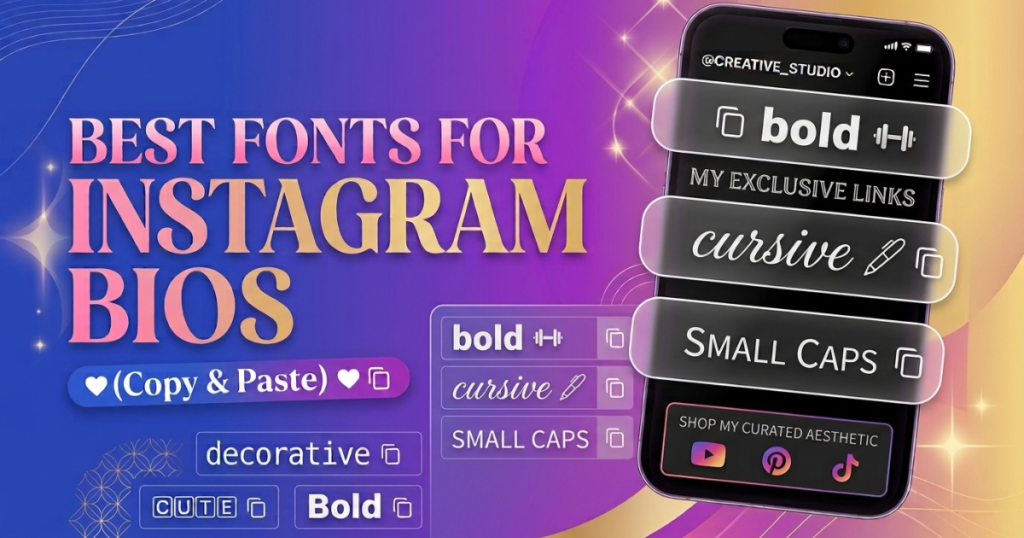
Bold Fonts — 𝗕𝗼𝗹𝗱
Strong and modern. Widely supported, so it displays reliably. Great for names, headlines, and business calls-to-action.
Cursive Fonts — 𝓒𝓾𝓻𝓼𝓲𝓿𝓮
Flowing and personal. Adds a warm, handwritten feel — popular for personal and lifestyle bios.
Script Fonts — 𝒮𝒸𝓇𝒾𝓅𝓉
Elegant and refined. More polished than casual cursive — ideal for beauty, fashion, and aesthetic accounts.
Small Text / Small Caps — ꜱᴍᴀʟʟ ᴄᴀᴘꜱ
Clean, compact, professional. Reads as minimal and tidy — perfect for names and brand profiles, and fits the character limit well.
Serif-Style Fonts — 𝕾𝖊𝖗𝖎𝖋
Classic and sophisticated. Adds a traditional, editorial feel — good for writers, professionals, and elegant brands.
Monospace Fonts — 𝚖𝚘𝚗𝚘𝚜𝚙𝚊𝚌𝚎
Techy and even-spaced. A coding/typewriter feel — suits developers, tech creators, and distinctive structured looks.
Aesthetic Fonts — aesthetic
Soft, dreamy, decorative. Wide text and cursive-with-symbols create the trendy, curated look popular on lifestyle accounts.
Gothic Fonts — 𝔊𝔬𝔱𝔥𝔦𝔠
Bold and dramatic. Blackletter adds an edgy, striking feel — good for music, gaming, and alternative profiles. (Use sparingly — least readable at a glance.)
Honest note: bold, cursive, script, and small caps are the most readable; aesthetic, serif, monospace, and gothic add personality but should be used more selectively.
Best Instagram Bio Fonts for Different Profiles
Personal Bios
Cursive or script for a warm feel — 𝓔𝓶𝓶𝓪 ♡ / chasing sunsets 🌅.
Business Bios
Bold or small caps for authority and clarity — 𝗕𝗥𝗔𝗡𝗗 𝗡𝗔𝗠𝗘 / Handmade jewelry ✨ / Shop below ↓. Readability matters most here.
Creator Bios
Bold name + plain details — 𝗔𝗹𝗲𝘅 | Content Creator / New videos weekly 🎥. Confident and scannable.
Gaming Bios
Bold, gothic, or symbol-wrapped — 乂 𝗦𝗵𝗮𝗱𝗼𝘄 乂 / Pro gamer 🎮. (For gaming usernames, see our gaming fonts hub.)
Aesthetic Profiles
Cursive or wide aesthetic text with soft symbols — ⋆。˚ 𝒹𝓇𝑒𝒶𝓂𝑒𝓇 ˚。⋆. Pair with delicate dividers (✿ ♡ ⋆ ˚).
Examples of Instagram Bio Font Styles
The name “Jessica” across styles:
- Bold: 𝗝𝗲𝘀𝘀𝗶𝗰𝗮
- Cursive: 𝓙𝓮𝓼𝓼𝓲𝓬𝓪
- Script: 𝒥𝑒𝓈𝓈𝒾𝒸𝒶
- Small caps: ᴊᴇssɪᴄᴀ
- Serif: 𝕵𝖊𝖘𝖘𝖎𝖈𝖆
- Monospace: 𝙹𝚎𝚜𝚜𝚒𝚌𝚊
- Aesthetic wide: Jessica
- Gothic: 𝔍𝔢𝔰𝔰𝔦𝔠𝔞
Copy any style from our Instagram font generator and paste it into your bio.
How to Change Your Instagram Bio Font
Here’s what most people don’t realize: Instagram has no built-in font setting. You can’t change the bio font inside the app. Instead, these styles use Unicode characters — glyphs that already look styled and can be copy-pasted anywhere. (Curious how? See how fancy fonts work.)
How to Add Fancy Fonts to an Instagram Bio
- Type your bio into a font generator — like our Instagram font generator.
- Choose a font style — bold, cursive, small caps, aesthetic, and more.
- Copy the text you like.
- Paste it into Instagram — profile → Edit Profile → Bio field → Save.
No app, no download. It’s real Unicode text, so it displays for everyone.
Why Some Instagram Fonts Don’t Work Properly
Sometimes a font shows as boxes (□), reverts to plain text, or won’t paste. Usual reasons:
- The character isn’t supported — the viewer’s device lacks a drawing for that rare character.
- Instagram or the device stripped it — very unusual characters get removed.
- You used an obscure style — rare Unicode is less portable than common styles.
The fix: stick to widely-supported styles (bold, cursive, small caps, italic), and test before saving. (Full detail: why fancy text shows as boxes.)
How to Choose a Readable Instagram Bio Font
Readability comes first — people won’t squint. To keep it readable:
- Pick clear styles — bold, cursive, small caps read easily; heavy gothic and glitch don’t.
- Style selectively — apply the font to your name or first line, keep the rest plain.
- Avoid tiny/decorative styles for important info (contact, links).
- Check it at a glance — if you can’t read it instantly, neither can visitors.
Can You Use Multiple Font Styles in One Bio?
Yes — but sparingly. One or two styles look intentional (a cursive name + plain details). Three or more looks chaotic and hurts readability. Best approach: one styled line (your name) + plain lines below + a couple of symbols as separators. Restraint reads as design; clutter reads as mess.
Fancy Fonts vs Instagram’s Built-In Text Options
Honest clarification: Instagram has no built-in text formatting for your bio — no bold button, no font menu. (The only native text styling is in Stories, where the editor has a few fonts for text placed on a story — separate from your bio.)
So for your bio, name, and captions, copy-paste Unicode fonts are the only way to add style. There’s no native alternative — which is why font generators are so popular with Instagram users.
Tips for Creating a Clean Instagram Bio
- Style your name or first line only — keep the rest plain for readability.
- Stay under 150 characters — styled characters sometimes count as more than one.
- Use symbols as separators — a soft ✿ ♡ ⋆ · between phrases adds structure.
- Keep important info plain — contact, links, and CTAs should be easy to read (and accessible to screen readers).
- Test before saving — preview in the bio field first.
Frequently Asked Questions
What is the best font for an Instagram bio?
Bold, cursive, and small caps are the best all-around choices — stylish and readable. Match the style to your profile: cursive for personal, bold for business, aesthetic for lifestyle.
How do I get fancy fonts on Instagram?
Use a font generator to create Unicode-styled text, copy it, and paste it into your bio, name, or caption. Instagram has no built-in fonts. Try our Instagram font generator.
Can I use bold text in my Instagram bio?
Yes — bold is one of the best and most widely-supported styles. Generate it, copy, and paste it into your bio.
Why does my font look different on another phone?
Different devices draw Unicode with different fonts, so styled text can look slightly different (or box on old devices). Bold and cursive are the most consistent. See why fancy text shows as boxes.
Can I use fancy fonts in an Instagram username?
Not in the @username handle (plain letters, numbers, periods, underscores only). But yes in your display name and bio. See Unicode text in usernames.
Do these fonts work on iPhone and Android?
Yes, both — copy from the generator and paste into Instagram on either. No app needed.
Quick Guide to Choosing an Instagram Bio Font
- Personal / lifestyle → cursive or script
- Business / brand → bold or small caps
- Creator → bold name + plain details
- Gaming → bold, gothic, or symbol-wrapped
- Aesthetic → cursive + soft symbols
- Always: style selectively, stay readable, test before saving
Ready to style yours? Head to our Instagram font generator, pick a style, and paste it into your bio.