
Why Do Some Unicode Characters Become Wider Than Expected After Copying?
Introduction
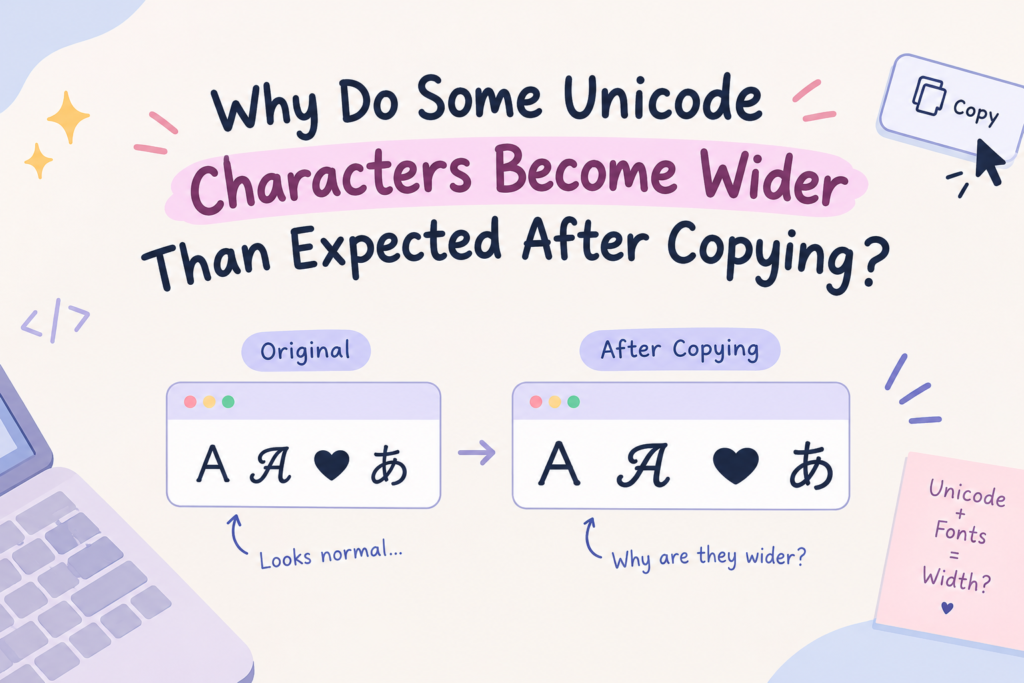
When you copy fancy or styled text (Unicode characters) and it suddenly looks wider, takes up more space, or fills a character limit faster than you expected, it’s usually one of these: the characters are full-width (designed to take a full character cell, like A instead of A), they include combining marks that stack and add length, or there’s a mismatch between the character count (what the computer counts) and the visual width (what you see). This guide explains exactly why — with before/after examples — so you understand what’s happening and how to control it.
The Core Idea: Character Count ≠ Visual Width
Here’s the key concept behind the whole thing: how many characters a computer counts is not the same as how wide the text looks.
- A character is a single Unicode code point (one “letter” to the computer).
- Visual width is how much horizontal space it takes on screen.
With normal English letters, these line up — one letter, one roughly equal space. But many Unicode characters break that assumption: some are designed to be wider, some are built from multiple code points, and some stack invisibly. That’s why copied text can look wider, or hit a character limit sooner, than you’d expect.
Let’s break down each cause.
This is closely related to character count too — if your username keeps getting rejected for being too long, see why fancy text changes your username length (it’s the same Unicode behavior, measured a different way).
Cause 1: Fullwidth Characters (The “Wide” Look)
This is the most common reason text looks wider. Fullwidth characters are a special Unicode set designed to occupy a full character cell — the same width as a Chinese, Japanese, or Korean character.
Before (normal / “halfwidth”): Hello. After (fullwidth): Hello
Notice the fullwidth version has wide letters with big gaps — that’s the “aesthetic” / “vaporwave” look. Each letter is literally a different, wider Unicode character:
- Normal “A” = U+0041 (standard width)
- Fullwidth “A” = U+FF21 (full-cell width)
So when you copy full-width text, it looks like the same letters but each one takes up roughly twice the space. That’s by design — it’s not a bug.
Try our vaporwave text generator and aesthetic font generator for full-width and beautiful font styles.
Cause 2: Combining Marks (Hidden Extra Characters)
Some styled text — especially glitch/zalgo and certain accented styles — uses combining marks: invisible-ish characters that attach to a base letter.
Before: glitch After: g̷l̷i̷t̷c̷h̷
That strikethrough-glitch look isn’t six characters — it’s twelve or more. Each letter has one or more combining marks stacked on it. So:
- You see 6 “letters”
- The computer counts 12+ characters
This is why glitch text fills character limits shockingly fast and can “overflow” a text box — there are far more actual characters than visible letters. (See our glitch text generator.)
Cause 3: Mathematical Alphabet Characters
The “fancy” letters from font generators (bold, cursive, gothic) are Mathematical Alphanumeric Symbols — a Unicode range. Most are a single code point per letter (so they don’t add width), BUT:
- Some are stored as characters outside the basic range (they use 4 bytes in UTF-8 instead of 1)
- This matters for character limits that count bytes, not visible letters
Before: Bold (4 letters) After: 𝐁𝐨𝐥𝐝 (looks like 4 letters, but each is a higher-range character)
Visually these are normal-width, but some systems count them as “longer,” which is why a short styled name can sometimes exceed a byte-based limit.
Cause 4: Emoji Sequences (One Emoji, Many Characters)
Emojis look like one symbol but are often sequences of multiple code points joined together.
- A simple emoji (🙂) = 1-2 code points
- A complex emoji (👨👩👧👦 family) = 7 code points joined by invisible “zero-width joiner” characters
- Skin-tone and flag emojis also combine multiple characters
So one emoji can count as several characters toward a limit — another reason copied text “takes more space” than it looks.
Why Two “Letters” Can Occupy Different Amounts of Space
Putting it together — two things that look like single letters can occupy very different space because:
- One might be a standard letter (normal width, 1 character)
- One might be fullwidth (double width, 1 character)
- One might be a letter + combining marks (normal-ish width, but multiple characters)
- One might be a high-range styled character (normal width, but counts as “longer” in bytes)
Unicode treats these as different things, even when they look similar — which is the whole source of the confusion.
Why This Matters for Usernames, Bios & Text Boxes
This is where it actually affects you:
- Character limits fill up fast — a styled name that looks short can exceed an Instagram bio (150), a gaming name limit (12-16), or a username field, because the real character count is higher than the visible letters.
- Text overflows boxes — fullwidth or glitch text physically takes more room, so it can spill out of a chat box or UI element.
- Usernames get rejected — a field with a strict limit counts the actual characters, not what you see, so your styled name may be “too long” even though it looks fine.
- Alignment breaks — fullwidth text won’t line up neatly with normal text.
The practical fix: if your styled text is getting cut off or rejected, use fewer combining marks (lighter glitch), avoid fullwidth if space is tight, and keep styled names short. Our tools often show a live character counter so you can see the real count before you paste.
Before & After: Quick Examples
| What you see | What it actually is | Why it’s “wider/longer” |
|---|---|---|
| Hello | 5 fullwidth characters | Each takes a full cell (double width) |
| g̷l̷i̷t̷c̷h̷ | 12+ characters | Combining marks add hidden length |
| 𝐁𝐨𝐥𝐝 | 4 high-range characters | Counts as “longer” in byte-based limits |
| 👨👩👧👦 | 7 code points | Joined emoji sequence |
| Hello | 5 standard characters | Baseline — no extra width |
Frequently Asked Questions
Why does my copied text look wider than normal?
It’s likely full-width characters — a Unicode style where each letter takes a full character cell (double width). It’s the aesthetic/vaporwave look, by design.
Why does fancy text fill character limits so fast?
Styled text often has more actual characters than visible letters — especially glitch text (combining marks) and emoji sequences. The field counts real characters, not what you see.
Why does my username say it’s too long when it looks short?
The styled characters count as more than the visible letters (combining marks, high-range characters, or full-width). Use a simpler, shorter style.
What are combining characters?
Invisible-ish marks that attach to a base letter (used in glitch/zalgo and accents). They add to the character count without looking like separate letters.
What are fullwidth characters?
A Unicode set designed to take up a full cell of space, like A instead of A — originally for East Asian text, now popular for aesthetic/wide styles.
Do styled fonts take more space everywhere?
Fullwidth and glitch styles do; most “fancy” letters (bold, cursive) are normal visual width but may count as longer in byte-based limits. It depends on the style.
How do I stop my text from overflowing?
Use lighter styles (less glitch), avoid fullwidth where space is tight, keep it short, and check the character counter before pasting.
Bottom Line
Copied Unicode text looks wider or takes more space because of fullwidth characters (double-width by design), combining marks (hidden extra characters in glitch text), high-range styled letters (which count as “longer”), and emoji sequences (multiple joined characters). The root cause is simple: character count isn’t the same as visual width.
If your styled text overflows or gets rejected, use a lighter, shorter style — and check the real character count before you paste. Try our generators (which show live character counts) to style text that actually fits.