
Why Arabic Unicode Looks Different on Different Devices
The same Arabic text can look different when you move it between phones, computers, browsers, and apps — different letter shapes, spacing, or the occasional box. Usually the Arabic text is completely correct; only its visual rendering changes.
Arabic is especially prone to this because of how its letters connect and shape themselves, how right-to-left text is handled, and how diacritics attach to letters — all of which each device renders in its own way.
This guide explains what’s happening (with a focus on Arabic specifically) and how to tell a real problem from a harmless display difference.
(For the general, non-Arabic version of the “boxes” problem across all fancy text, see our guide on why fancy text shows as boxes. This article focuses on what’s unique to Arabic script.)
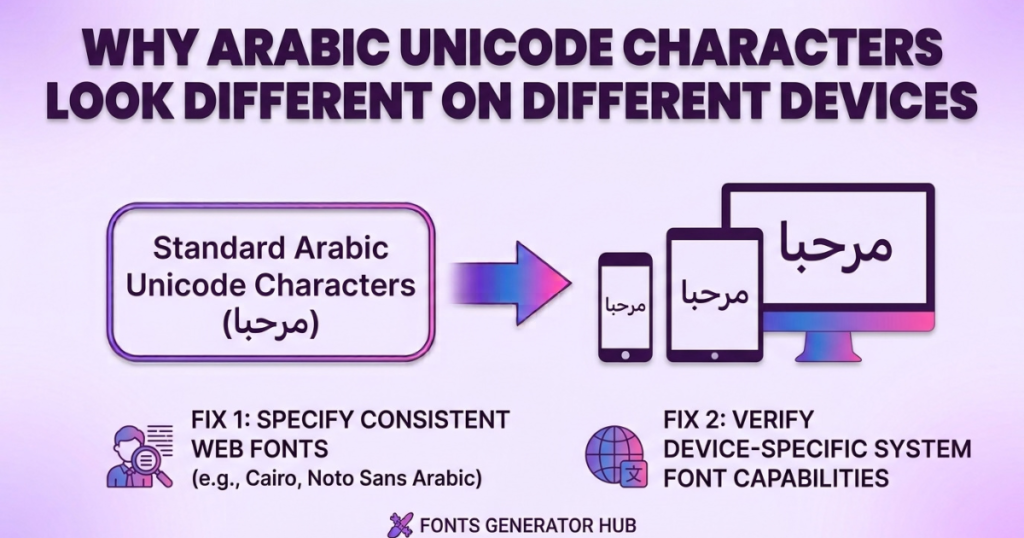
The Core Idea: Unicode Identifies, Fonts Display
Unicode gives each Arabic character a standard code, so devices agree on what the character is. But Unicode does not decide how it looks — that’s the font’s job. So the same Arabic Unicode text can use Apple’s font on iPhone, Google’s Noto on Android, and something else on Windows, and look noticeably different while the underlying characters stay identical.
| Unicode | Font |
|---|---|
| Identifies the character | Decides how it looks |
| Part of the text itself | The visual presentation |
| Copies and pastes | Installed or loaded by software |
| Same everywhere | Varies by device |
Key takeaway: if the same Arabic text looks different on two devices, the characters are probably identical — only the font rendering changed. This is the root of almost everything below.
What Makes Arabic Different From Latin Text
This is the part that’s specific to Arabic — and why Arabic “looks different” more often than English does. Three things make Arabic uniquely rendering-dependent:
1. Arabic Letters Change Shape by Position (Contextual Shaping)
Unlike Latin letters, most Arabic letters have four different forms depending on where they sit in a word:
- Isolated (standing alone)
- Initial (start of a word)
- Medial (middle, joined on both sides)
- Final (end of a word)
The software’s text-shaping engine decides which form to draw and how letters connect. So Arabic on screen isn’t separate character-shapes placed side by side — it’s a connected, context-aware script. Different shaping engines (Apple’s vs Google’s vs a browser’s) can join and shape the same letters slightly differently. This is the #1 reason Arabic looks different across devices, and it has no equivalent in English.
2. Right-to-Left (RTL) Rendering
Arabic runs right to left, so software must handle bidirectional text — especially when Arabic mixes with English, numbers, or symbols. If two apps handle RTL differently, the same characters can appear with different positioning or ordering (punctuation on the wrong side, numbers placed oddly). Again, this doesn’t mean the text is corrupted — just rendered differently.
3. Diacritics & Harakat (Combining Marks)
Arabic vowel marks — Fatha, Damma, Kasra, Shadda, Sukun, Tanwin (zabar, zer, pesh, etc.) — are usually combining characters that attach to a base letter rather than standing alone. Their exact placement (height, alignment) depends heavily on font and rendering support. Weak support makes a diacritic sit too high, too low, or drift off the letter. Heavily-voweled or decorated Arabic is therefore the most likely to look different across platforms.
These three — contextual shaping, RTL, and combining diacritics — are what make Arabic rendering genuinely more complex than Latin, and they’re the honest core of “why Arabic looks different.”
Why the Same Arabic Text Varies Across Android, iPhone & Windows
Each system ships different Arabic fonts and shaping engines:
- iPhone / iPad — Apple’s Arabic fonts (like Geeza Pro / SF Arabic) and Apple’s rendering. Distinctly Apple letterforms.
- Android — typically Google’s Noto Naskh Arabic / Noto Sans Arabic, but manufacturers and Android versions vary, so even two Android phones can differ.
- Windows — fonts like Segoe UI / Traditional Arabic, plus whatever a website specifies; substitutes a fallback if a font is missing.
- macOS — Apple’s system Arabic fonts and rendering.
Same Unicode, four different Arabic typefaces and shaping paths — so four slightly different looks. It’s less “one is right, and one is wrong” and more “each device draws Arabic in its own hand.” (And as always, an older device of any kind is likelier to show boxes, because it’s missing newer character support.)
Why Arabic Shows as Boxes (□)
A box means the current font has no glyph for that character — the device knows a character is there but can’t draw it (a “missing glyph”). With Arabic, this shows up most with:
- Uncommon Arabic symbols or punctuation
- Decorative or combining characters
- Characters from newer Unicode versions
- Heavily stacked/decorated generator output
If Arabic text shows a box, view it in another app, browser, device, or font — if it displays correctly elsewhere, it’s a font/rendering gap, not a problem with the text itself.
Want to inspect the exact characters in a string? Here’s how to find the Unicode character behind fancy text, including combining marks and symbols.
Why Fancy Arabic Text Generators Can Look Different
Arabic “fancy text” generators combine ordinary Arabic letters with extra symbols, spacing characters, or combining marks. Your browser may render them perfectly because it has the fonts — but another platform (Instagram, a game) may use different fonts or narrower Unicode support and render some characters differently, or strip them.
And here’s the honest, important point specific to Arabic: unlike English, there are no “bold,” “cursive,” or “fancy” Arabic letters in Unicode. The styled Latin sets (𝐛𝐨𝐥𝐝, 𝓬𝓾𝓻𝓼𝓲𝓿𝓮) simply don’t exist for Arabic script. So a “fancy Arabic” generator isn’t restyling the letters — it’s decorating ordinary Arabic with symbols and marks around it.
That’s why the letters themselves always look like normal Arabic (just framed or marked), and why results vary: the decoration, not the letters, is what renders inconsistently. (Our creepy Arabic text generator and Urdu stylish text generator both work this honest way — decorating Arabic-script text rather than faking fancy letters that don’t exist.)
Always test fancy Arabic on the actual platform where you’ll use it.
Is a Different Appearance a Sign the Text Is Wrong?
Usually no. Distinguish three situations:
- Same characters, different font — valid text, different visual design. Harmless.
- A character isn’t supported — shows a box or replacement symbol. The character is still valid; the device just can’t draw it.
- The characters actually changed — if pasting/processing altered the underlying characters, the text itself was modified. This is different from appearance changing.
To tell which: compare the text in a couple of apps, or use a Unicode inspector. If it looks fine elsewhere, only the rendering differed.
Common Arabic Display Problems & Fixes
| What you see | Likely reason | What to try |
|---|---|---|
| Letters look slightly different | Different Arabic font | Normal — try another font/device to confirm |
| Letters connect/join oddly | Shaping-engine difference | Try another app or browser |
| Square box (□) | Missing glyph | Try another font, app, or device |
| Direction looks wrong | RTL / bidirectional handling | Test in another app; simplify mixed Arabic-English |
| Diacritic misplaced | Combining-mark rendering | Use a font with good harakat support |
| Fine in browser, off in an app | App-specific rendering | Test in the destination app |
| Decorative characters vanish | Limited Unicode/font support | Use simpler, common characters |
| Text changed after pasting | App normalization/filtering | Compare the actual characters, not the look |
How to Check & Fix Arabic Unicode Display Issues
- Copy the original text and paste it into another browser, app, or device.
- Check if only one character is affected (a single missing glyph) vs. the whole text.
- Try a different Arabic font with broader Unicode/harakat support.
- Update the app or browser — older versions have weaker Arabic support.
- Simplify decoration — for social media, gaming, or messaging, common Arabic characters travel far better than obscure decorative ones.
- Test on the destination platform — a character that works in one app may render differently in another.
If the text displays correctly somewhere, the issue is the original app’s font/rendering — not the Unicode.
Frequently Asked Questions
Why does Arabic text look different on my phone and computer?
They use different Arabic fonts and rendering engines. The Unicode characters are usually identical — only the visual design changes.
Why are some Arabic characters shown as squares?
The font lacks a glyph for that character (a missing glyph). Try another font, app, or device.
Does Unicode guarantee the same appearance everywhere?
No. Unicode standardizes character identity, not one exact visual design for every device.
Why do Arabic letters connect differently on different devices?
Arabic uses contextual shaping — letters change form by position, and different shaping engines join them slightly differently.
Why do Arabic diacritics (harakat) move or look wrong?
Diacritics are combining characters whose placement depends on font and rendering support; weak support misplaces them.
Why does Arabic look different after I paste it into Instagram or WhatsApp?
The app uses its own font/rendering and may process some characters differently.
Is a fancy Arabic text generator producing fake Arabic?
Not necessarily. A generator can produce real Unicode characters while the receiving platform renders some of them differently.
Can I make Unicode Arabic look exactly the same everywhere?
Not always. You can improve compatibility by using widely supported characters and avoiding unusual decorative Unicode characters, but exact visual consistency requires control over the font and rendering environment.
Can I make bold or fancy Arabic letters?
Not as copy-paste text — Unicode has no fancy/bold Arabic letters (unlike English). Fancy Arabic generators decorate ordinary Arabic with symbols instead. See our Urdu stylish text generator for the honest, decoration-based approach.
Quick Checklist
If Arabic Unicode text looks wrong, check these things:
- Different letter style? → Probably a font difference.
- Square box? → Probably a missing glyph.
- Wrong direction? → Check RTL/bidirectional rendering.
- Misplaced diacritic? → Check combining mark and font support.
- Looks different only in one app? → Check that application’s rendering.
- Works on another device? → The original environment may have limited support.
- Decorative characters disappear? → The destination platform may not support them.
- Text itself changed? → Compare the actual Unicode characters, not just their appearance.
Conclusion
Arabic Unicode identifies characters consistently, but how they appear depends on fonts, shaping engines, RTL handling, diacritic support, and each app’s rendering. Arabic varies more than English because of its connected, context-shaped letters, right-to-left flow, and attaching vowel marks — none of which have a Latin equivalent.
A different look almost never means the text is wrong; it means a different device drew it. When in doubt, test the same text in another app or device, and for portable Arabic, favor common characters over obscure decorative ones.